How to Cancel Amazon Prime
The quick way
Let Subtract do the clicking in Chrome. It skips Amazon's offers, and you press the last button.
Cancel with SubtractFree Chrome extension
- Free to cancel
- Full refund if unused
- No phone call
Do it yourself: cancel Amazon Prime online
On a computer, at amazon.com/mc. Open Amazon Prime settings →
-
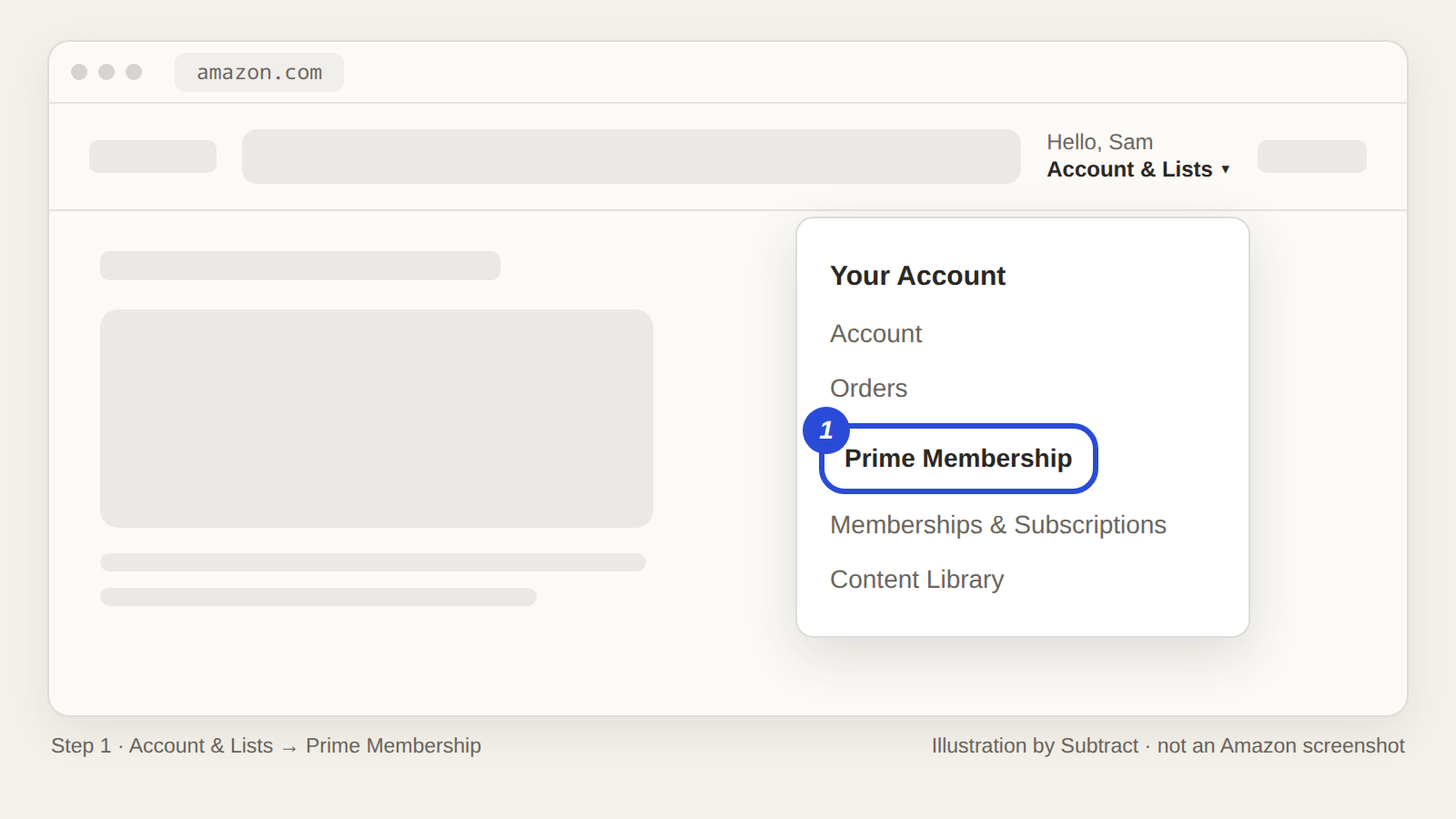
Open your Prime Membership page. Go to amazon.com/mc and sign in. Or open Account & Lists › Account › Prime (some menus show Prime Membership directly).
-
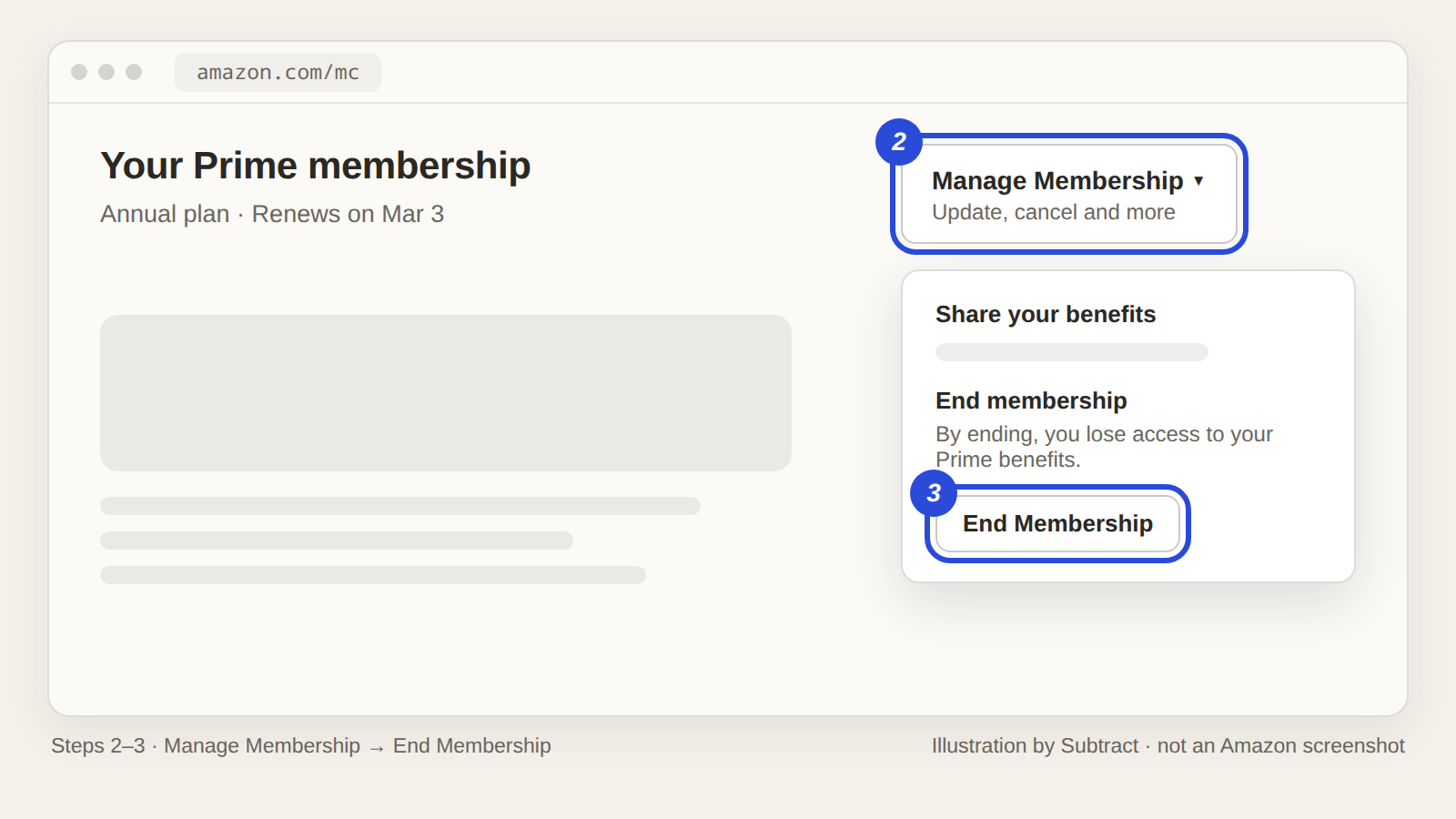
Select Manage Membership, then End Membership. Manage Membership ("Update, cancel and more") is near the top. On a free trial, choose End Trial and Benefits.
-
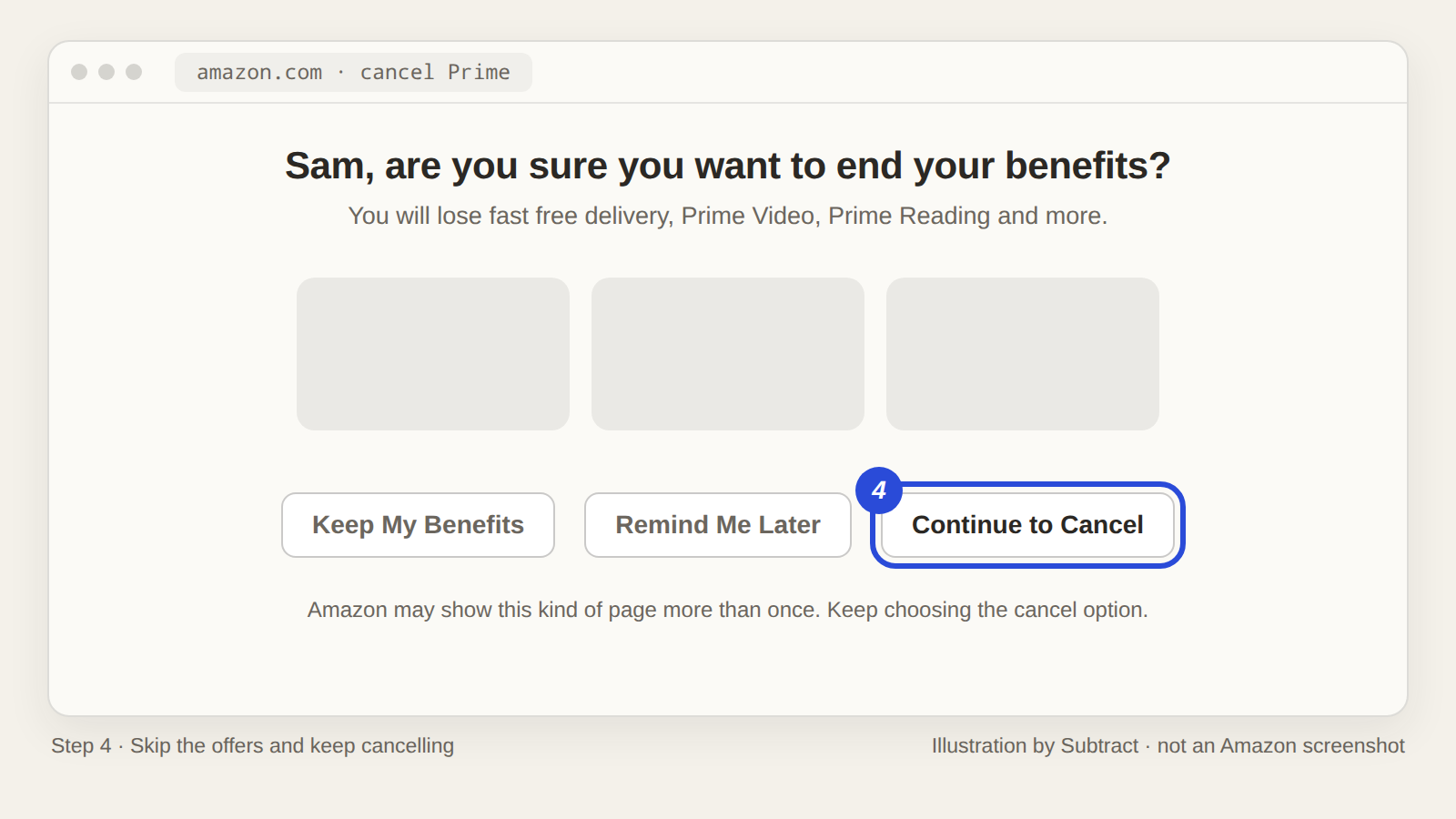
Click past Amazon's retention screens. Choose Continue to Cancel (or Cancel My Benefits) on each one. Expect two or three.
-
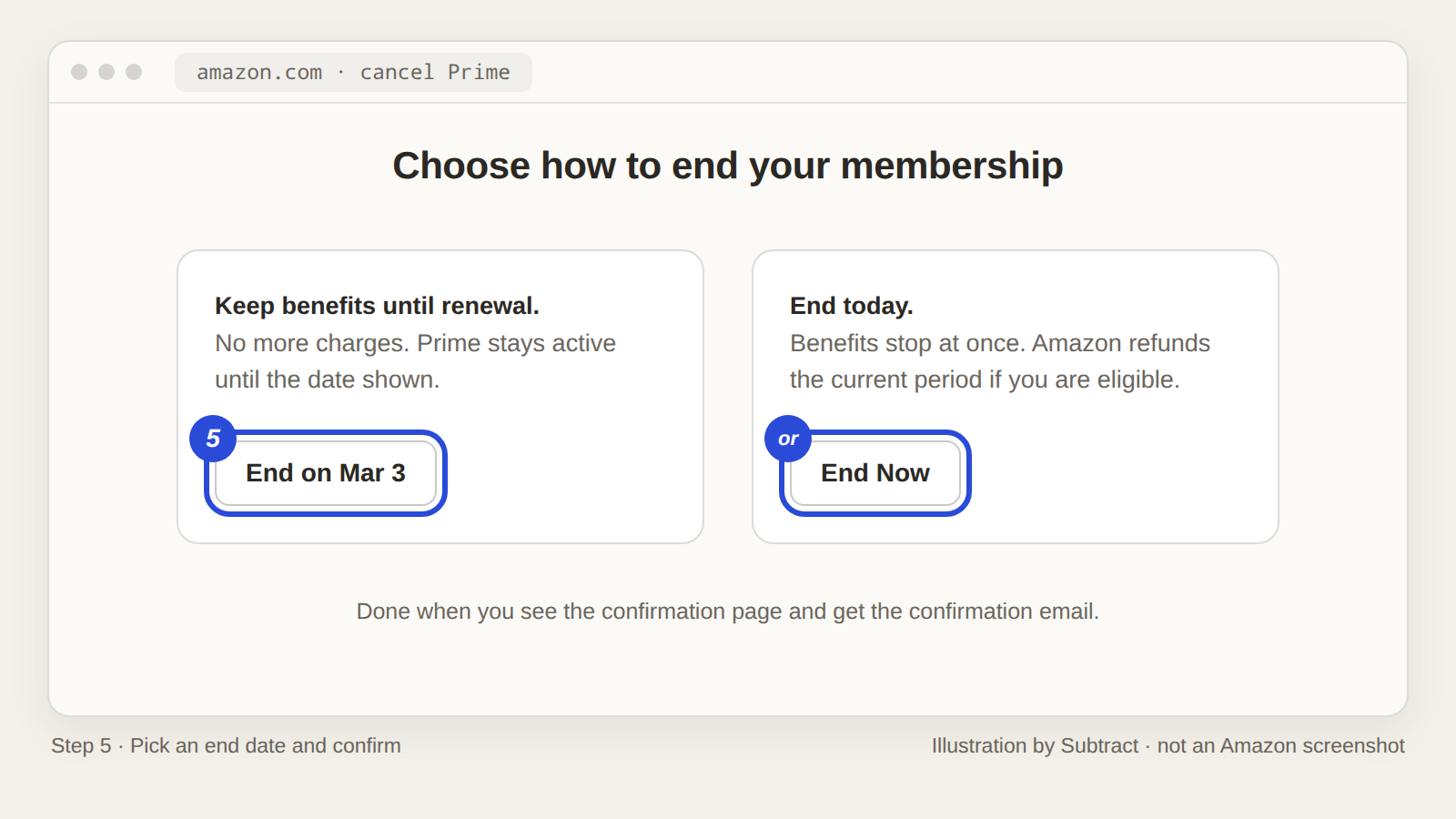
Pick when Prime ends and confirm. End on [date] keeps Prime until the paid period ends, with no more charges. End Now stops it at once, with a refund if you haven't used benefits this cycle. Amazon then shows a confirmation page and emails you.
Cancel on iPhone or Android
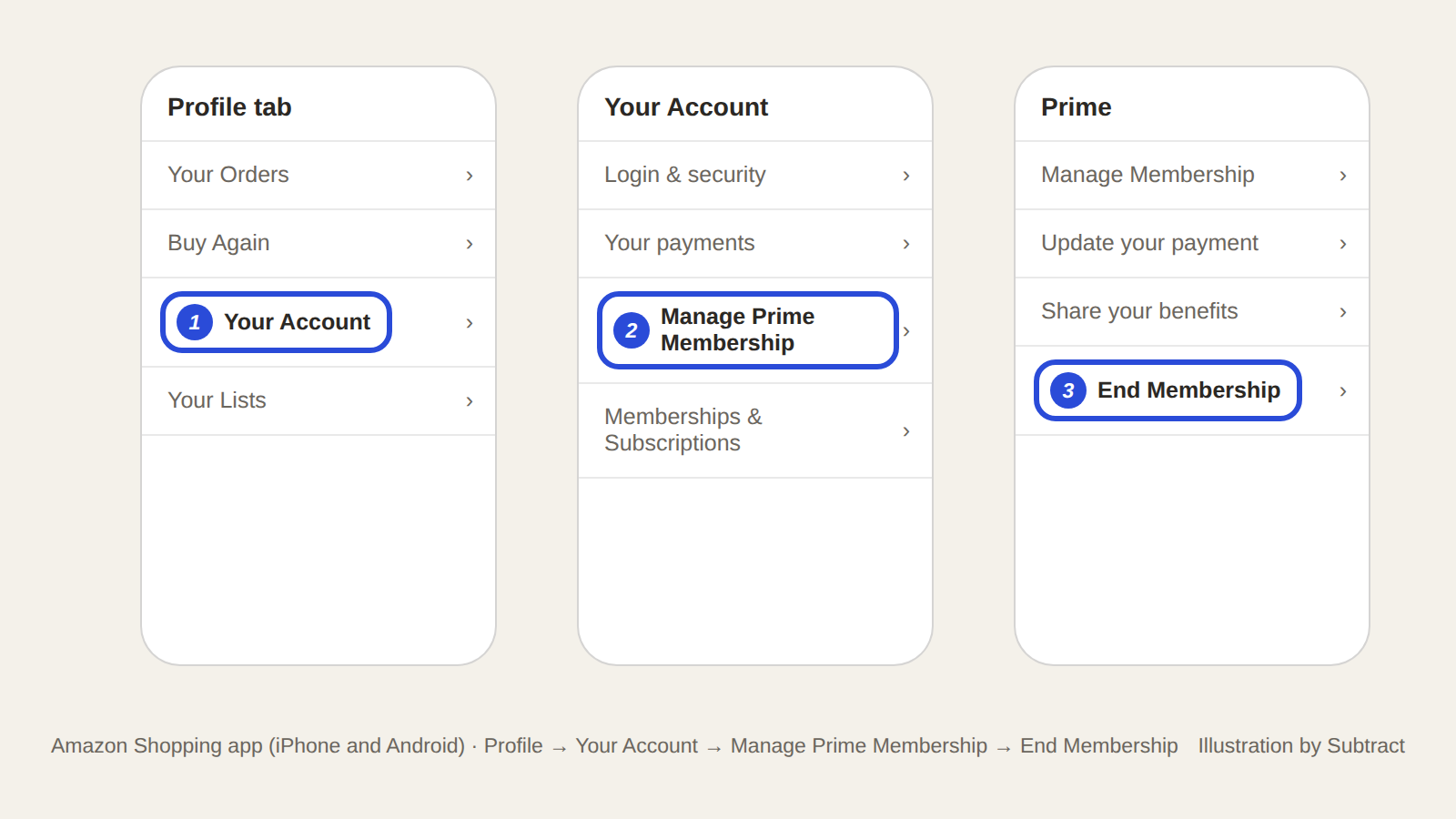
- In the Amazon Shopping app, tap the profile icon at the bottom.
- Tap Your Account, then Manage Prime Membership.
- Tap Manage Membership › End Membership and follow the prompts.
Deleting the app won't cancel Prime. No app? Open amazon.com/mc in your phone's browser.
Will you get a refund?
- No benefits used since your last charge: a full refund.
- Cancelled within 3 business days of signing up (or of a trial turning paid): a full refund, minus the value of any benefits you used in those days.
- Otherwise: usually no refund. Prime runs to the end of the paid period.
Refunds usually reach your payment method in 3 to 5 business days.
A few things to keep in mind
- Prime Video add-on channels keep billing. Channels like Paramount+ or HBO Max are separate: cancel each under Memberships & Subscriptions.
- Your Amazon Household loses shared Prime benefits too.
- Your Amazon account stays open, with past orders, Kindle books and digital purchases.
Common questions
Why can't I find the "End Membership" button?
You're probably signed in to a different Amazon account, or Google Play, Apple, a phone carrier or another company bills you. Cancel where you signed up.
Does cancelling Prime cancel Prime Video?
Yes, Prime Video ends with Prime. Paid add-on channels don't: cancel them separately.
Do I lose Prime right away after cancelling?
Only if you pick End Now. With End on [date] you keep Prime until the period you paid for ends.
Not sure what else you're paying for?
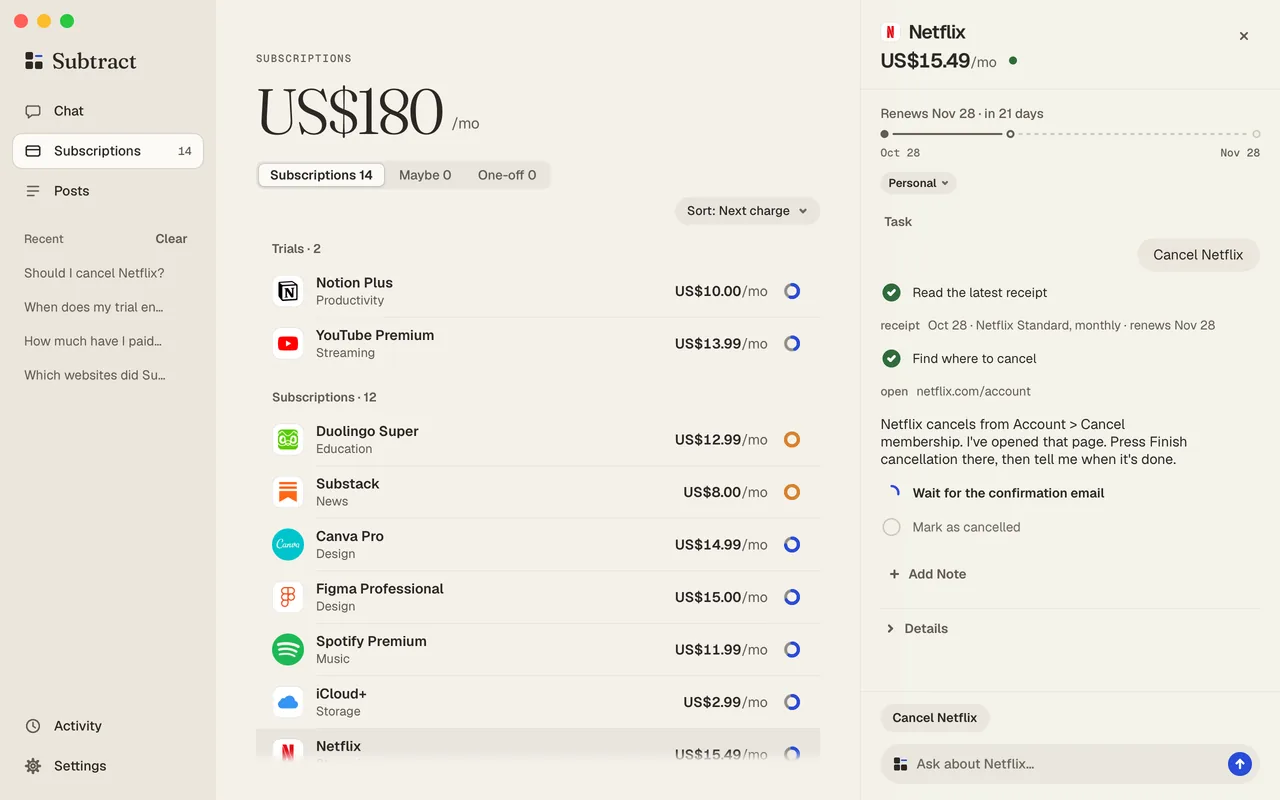
Subtract is a Mac app that finds subscriptions in your mail receipts and helps you cancel them, with the AI and your data staying on your Mac.
Sources: Amazon Help ("Cancel Your Amazon Prime Membership") and Amazon Prime Terms & Conditions. Subtract is not affiliated with Amazon.