How to Cancel Your ChatGPT Subscription
The quick way
Let Subtract do the clicking in Chrome. It opens Billing, says no to the offer and stops at the last button.

Cancel with SubtractFree Chrome extension
- Free to cancel
- Paid features until your renewal date
- No refund by default
Do it yourself: cancel ChatGPT online
For a plan bought on chatgpt.com. Bought it in the app? See the app stores. Open ChatGPT billing →
-
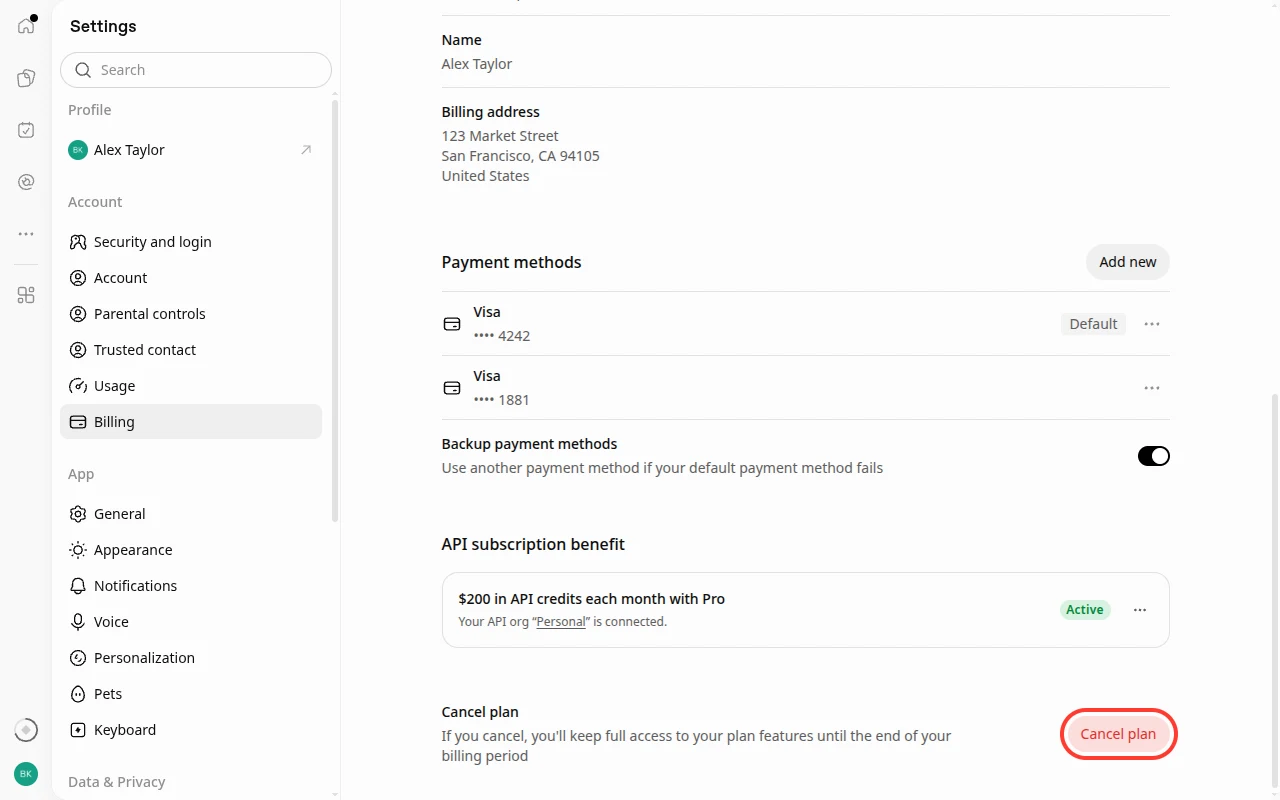
Open Settings › Billing, then select Cancel plan. On chatgpt.com, click your name or initials, then Settings › Billing. Cancel plan is at the bottom.
-
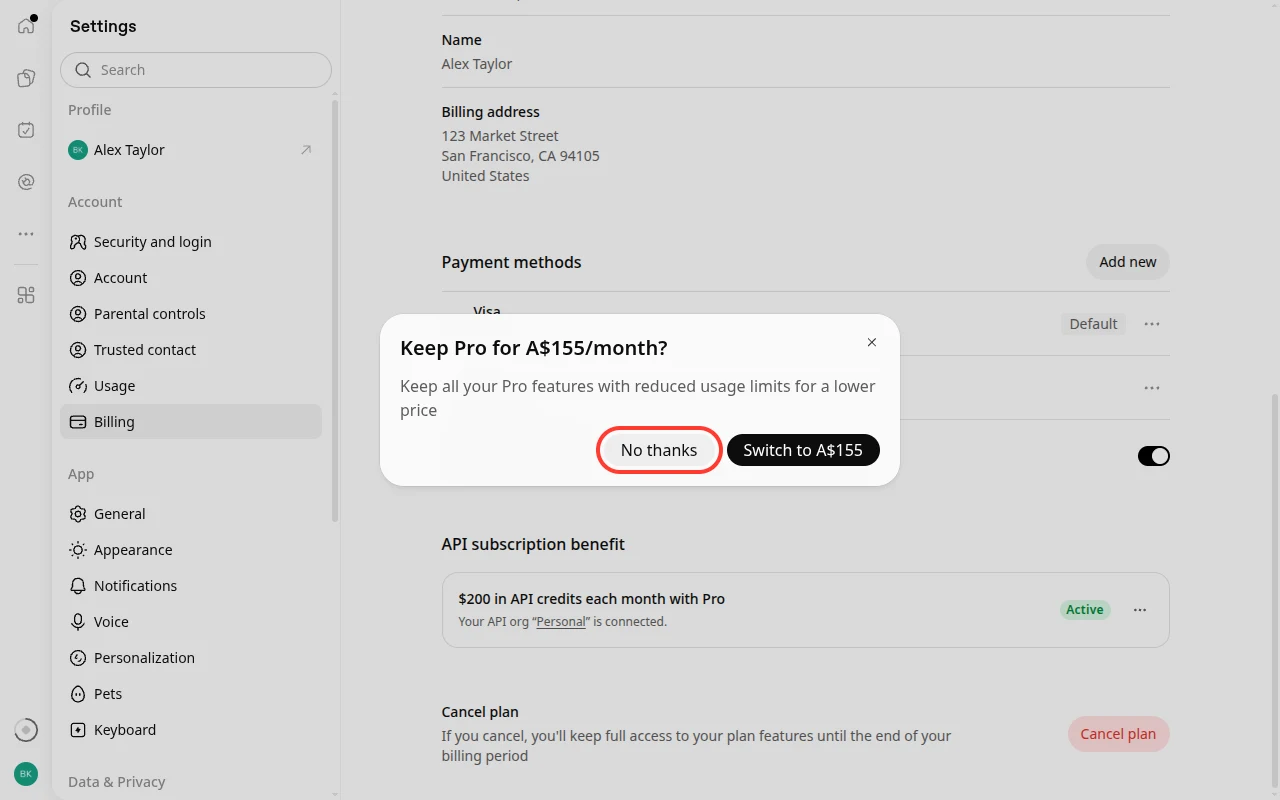
Say no to the offer. ChatGPT may offer a cheaper plan. Select No thanks.
-
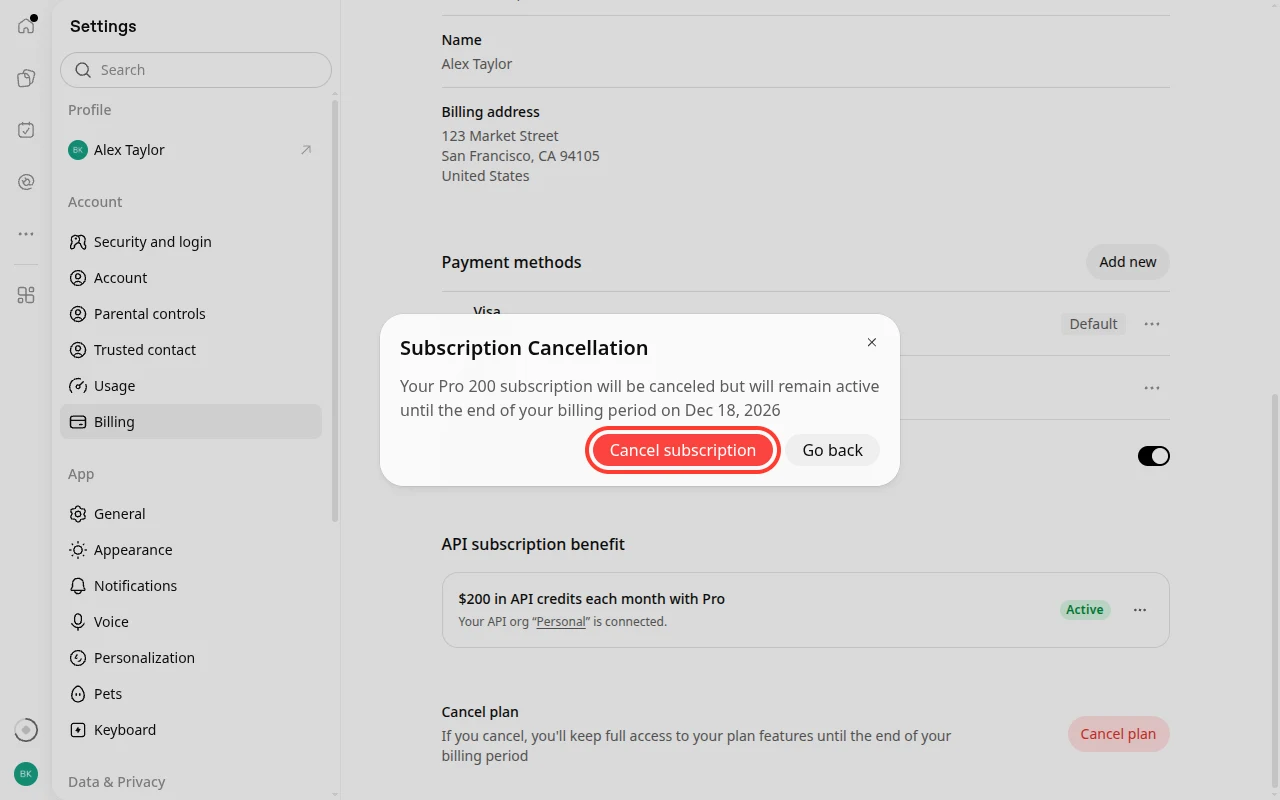
Confirm with Cancel subscription. The dialog shows the date your plan ends. Billing then shows that your plan won't renew.
Cancel on iPhone or iPad
Subscribed in the iPhone or iPad app? Apple bills you, so cancel with Apple:
- Open Settings and tap your name.
- Tap Subscriptions, then ChatGPT.
- Tap Cancel Subscription and confirm.
No Cancel button and an expiry date in red? It's already cancelled.
Cancel on Android
- Open the Google Play Store, signed in with the Google account that paid.
- Tap your profile picture, then Payments & subscriptions › Subscriptions.
- Tap ChatGPT, then Cancel subscription, and follow the prompts.
ChatGPT Business
A workspace owner cancels a self-serve Business plan: account menu › Workspace settings › Billing › Manage plan › Cancel subscription. Enterprise and Edu plans are cancelled through OpenAI's sales team.
Will you get a refund?
- Usually not. OpenAI says payments are generally non-refundable.
- Unused, within 7 days of the charge: OpenAI may refund it. Ask in the chat on help.openai.com, signed in.
- EU, UK or Turkey: a prorated refund if you cancel within 14 days of purchase.
- Paid through Apple: ask Apple at reportaproblem.apple.com.
A few things to keep in mind
- Cancel at least 24 hours before your renewal date, or the next charge may already go through.
- Deleting your account cancels a chatgpt.com subscription, but not one billed by Apple.
- Charged twice? Check for a second subscription in an app store or on another account.
Common questions
Does deleting the ChatGPT app cancel my subscription?
No. Cancel where you subscribed: chatgpt.com, the App Store or Google Play.
Do I lose Plus or Pro right away?
No. Paid features stay until the period you paid for ends. Then the account moves to the free plan, and your chats stay.
Why can't I find the Cancel plan button?
You probably subscribed in the iPhone or Android app, so Apple or Google bills you. Or you're signed in to a different account. The receipt shows who charged you.
Not sure what else you're paying for?
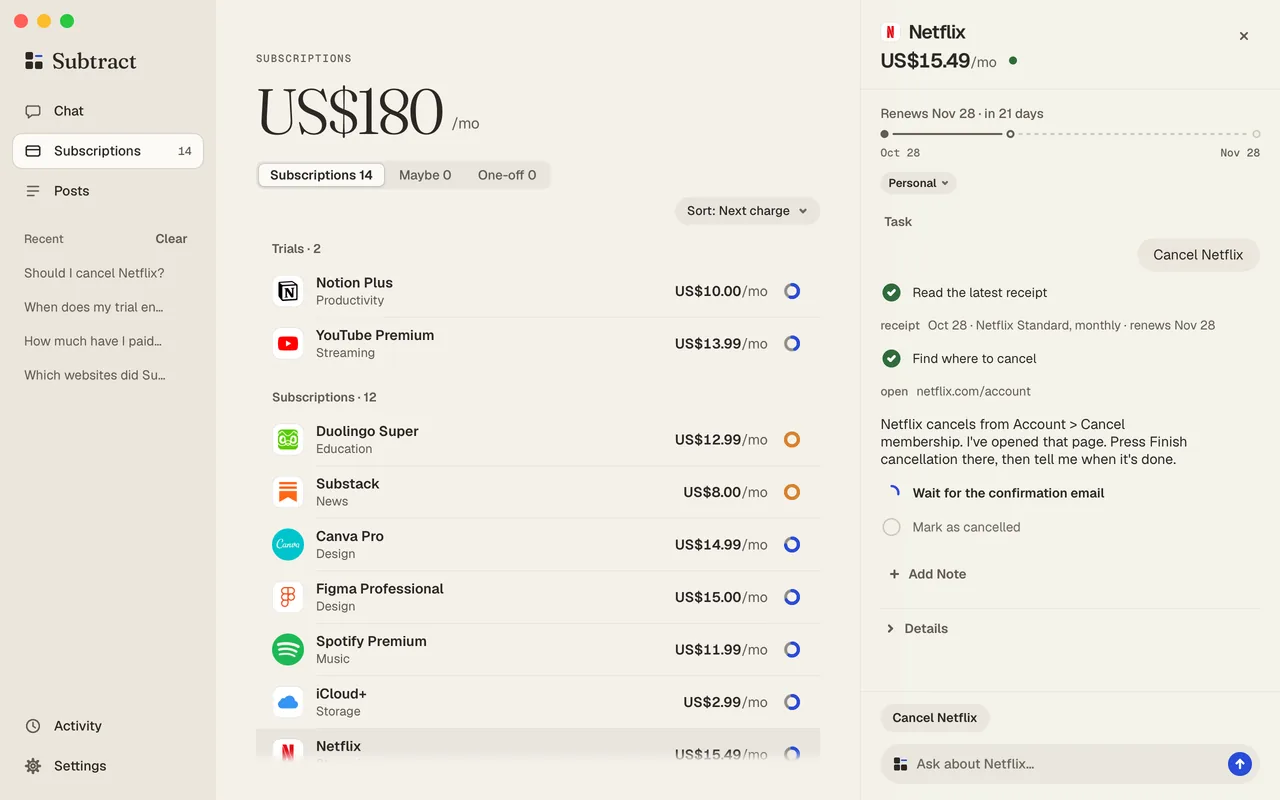
Subtract is a Mac app that finds every subscription in your mail receipts and helps you cancel them, with the AI and your data staying on your Mac.
Sources: OpenAI Help Center ("Canceling your ChatGPT subscription", "How do I request a refund for my ChatGPT subscription?"). Screenshots taken November 24, 2026 in Chrome on a real ChatGPT Pro account; personal details are replaced with sample ones. Subtract is not affiliated with OpenAI.