How to Cancel Netflix
The quick way
Let Subtract do the clicking in Chrome. It skips the pause offer and stops at Finish Cancellation.

Cancel with SubtractFree Chrome extension
- Free to cancel
- Watch until the period ends
- Pause for a month instead
Do it yourself: cancel Netflix online
Signing out or deleting the app doesn't cancel. Only this does. Open Netflix membership →
Open Account › Membership and select Cancel Membership. Sign in at netflix.com. The button is below Payment Info.
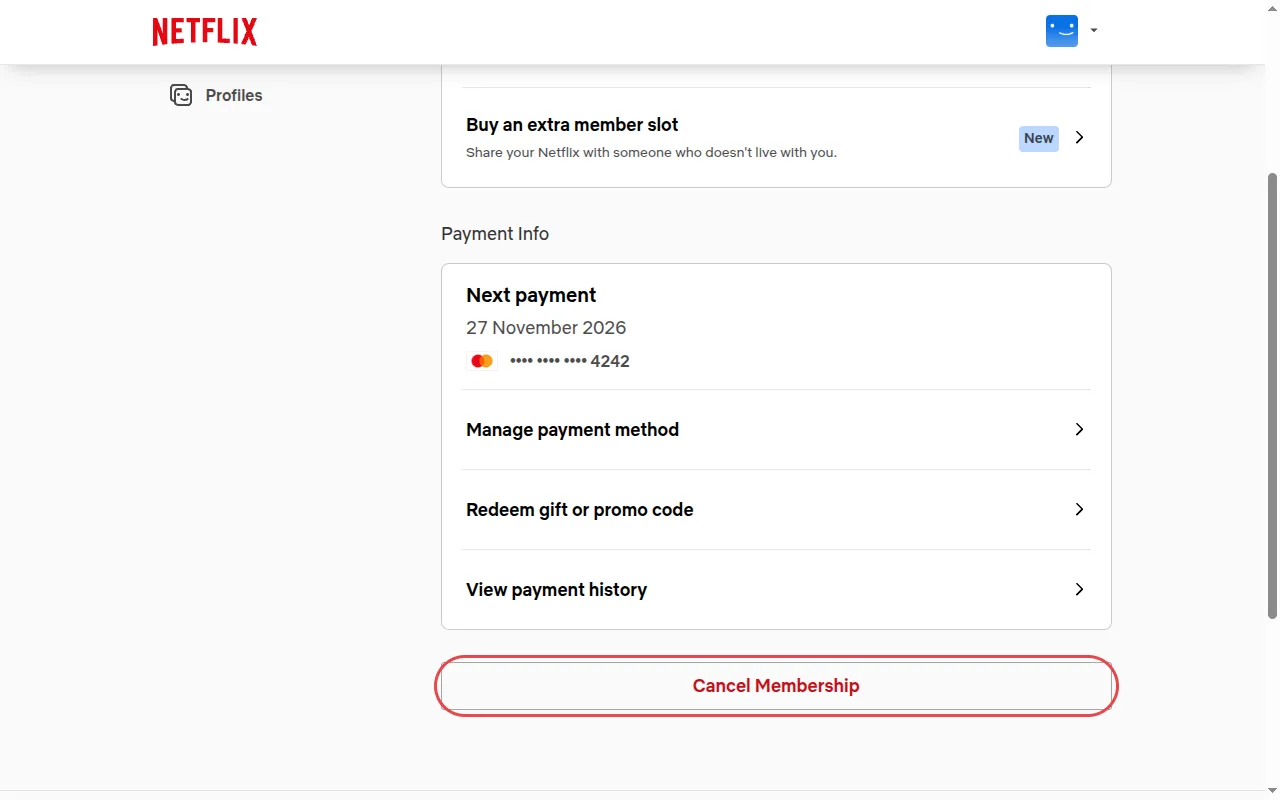
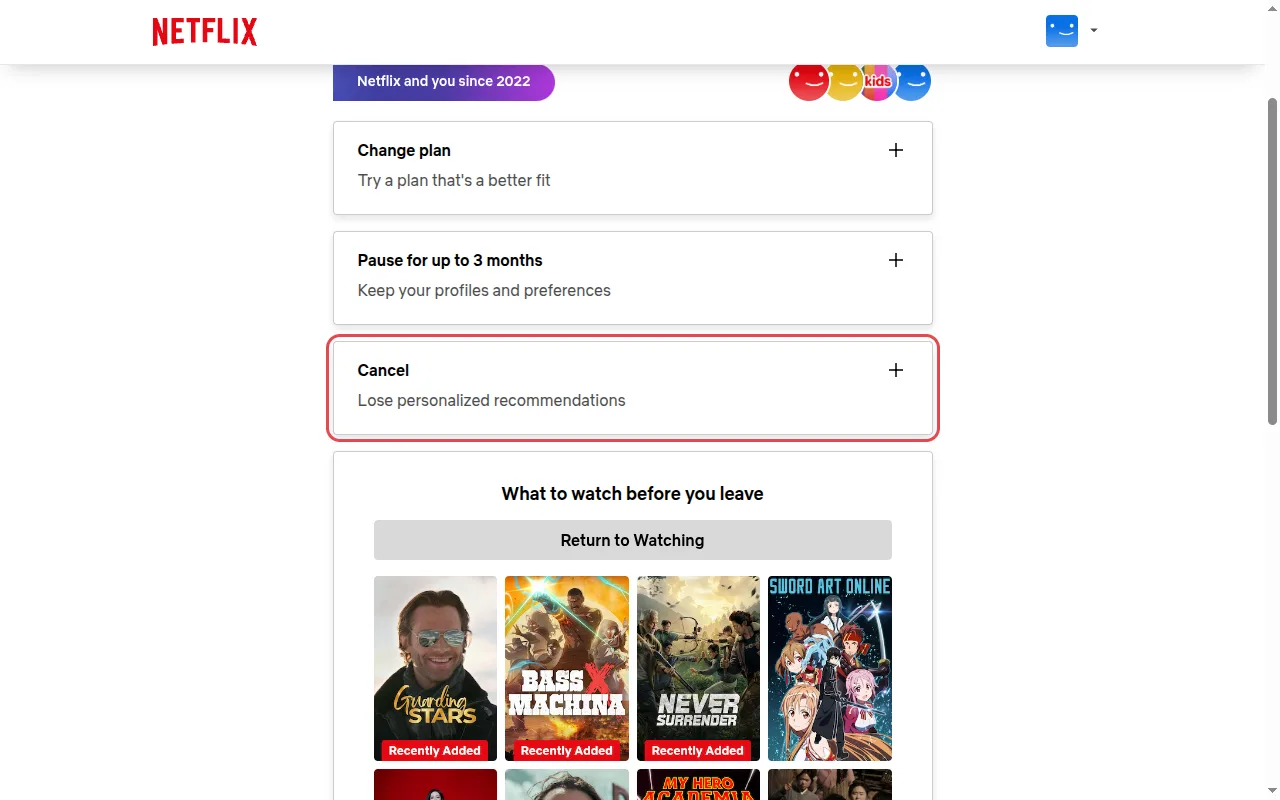
Open the Cancel option. It's at the bottom, below Change plan and Pause.
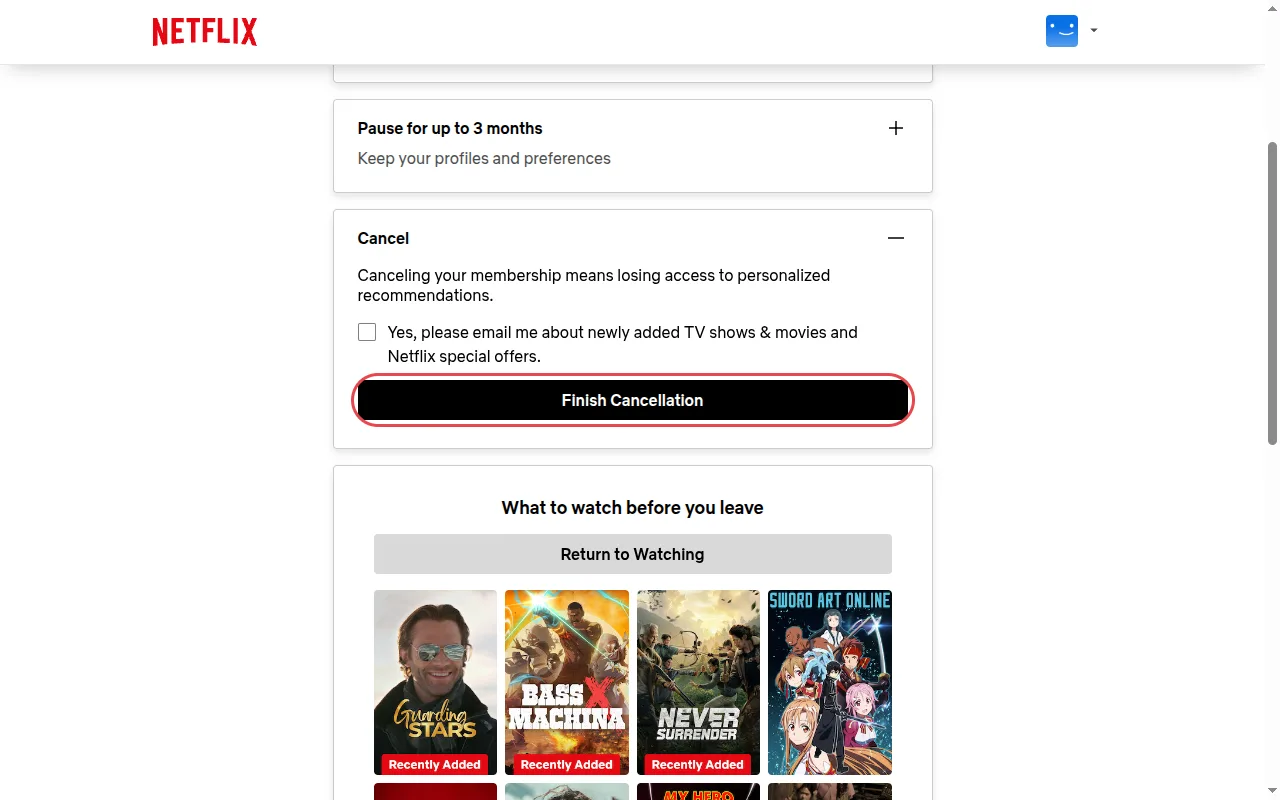
Select Finish Cancellation. Netflix emails a confirmation.
No Cancel option?
A partner bills you (a phone, TV or internet provider, or an app store). Your Account page, under Membership, shows how to cancel with them.
Pause instead
Pause for 1 Month skips one charge, then billing resumes at your plan price. Extend it up to 3 months. Not on Basic, gift cards or some partner payments.
A few things to keep in mind
- Gift card balance? You keep watching until it runs out.
- Switching to a bundle with Netflix? Don't cancel. Link your account to the bundle and Netflix stops billing your card.
Common questions
Does deleting the Netflix app cancel my membership?
No. Only cancelling on your Account page ends it.
Can I keep watching after I cancel?
Yes, until the billing period you paid for ends. Cancel before your billing date to avoid the next charge.
Not sure what else you're paying for?
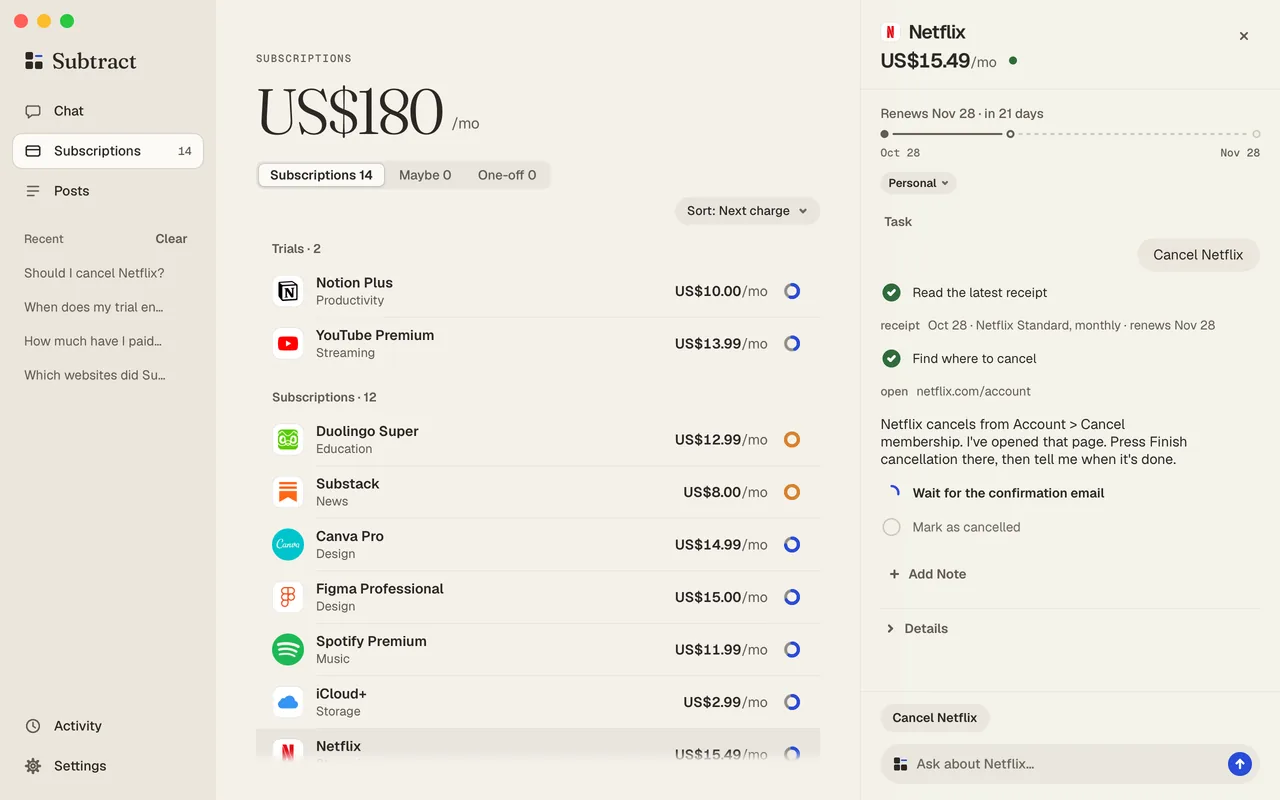
Subtract is a Mac app that finds every subscription in your mail receipts and helps you cancel them, with the AI and your data staying on your Mac.
Sources: Netflix Help Center ("How to cancel Netflix"), read November 25, 2026. Screenshots taken November 25, 2026 in Chrome on a real Netflix Standard account (billed outside the US; the steps match Netflix's US help page). Personal details are replaced with sample ones; Finish Cancellation was never pressed. If Netflix has changed a step since, their page is right. Subtract is not affiliated with Netflix.